

### Blog Post:
cable management kit home office solutions are now essential for anyone working from home. As millions adapt to remote work, organizing cables under your desk and around your workspace is no longer just about aesthetics — it tackles real productivity and stress issues.
Key Takeaways
- Home office cable clutter directly impacts productivity, stress, and even business downtime.
- A cable management kit is a cost-effective way to organize wires and reduce hazards or workflow interruptions.
- Simple steps and smart products can transform even the messiest workspace into an efficient, tidy area.
- Why Cable Management Kits Matter for Your Home Office
- Step-by-Step Guide: Organizing with a Cable Management Kit
- Advanced Analysis & Common Pitfalls
- Conclusion
- FAQ
Why Cable Management Kits Matter for Your Home Office
Remote work is at all-time highs, with more than 23 million American adults working from home at least some of the time. Yet, only 19% say their main desk is truly organized. For most, tangled wires and power bricks create a trap of clutter that leads to frustration, wasted time, and even safety hazards.

Research shows 74% of workers feel their home office desk is messier than their in-office workspace. Disorganized cables are a major culprit, overwhelming nearly half of remote workers.
But here’s the hidden cost: Cable mess causes troubleshooting headaches, network issues, and — for businesses — major downtime. According to Bloomfield Networks, small businesses lose up to $55,000 per year when cable chaos interrupts IT operations.
A dedicated cable management kit for your home office provides a ready-made toolbox: adhesive clips, cable sleeves, trays, zip ties, and organizers that tame even the worst cable jungle. With minimal effort, your workspace becomes more productive, safe, and visually calm.
Market demand reflects this need — the cable organization industry is growing toward a projected USD 12.5 billion by 2033.
Want to transform your work zone from stress to success? Start with organization basics. Many people also consider solutions like a foldable wall mounted desk for maximizing space alongside cable control.
Step-by-Step Guide: Organizing with a Cable Management Kit
You don’t need advanced skills or fancy tools. Here’s exactly how to organize your workspace with a cable management kit home office system:
- Sort and identify all cables. Unplug your devices. Untangle and sort by device or length. Label cables with reusable tags or masking tape.
- Declutter and reroute. Decide which cables can be removed or replaced with wireless options. Reroute cables along the most direct path, away from walkways.
- Install under-desk cable trays or boxes. Attach trays, baskets, or cable boxes underneath your desk to hide power strips and excess slack.
- Bundle and secure using clips or sleeves. Use Velcro ties, twist ties, or flexible cable sleeves from your kit to group cables moving in the same direction.
- Mount and label. Use adhesive clips to guide cables up monitor arms or behind furniture. Label both ends for easy identification.
- Check for hazards and airflow. Ensure cables do not block vents, pinch under desk legs, or create tripping hazards.
- Review and adjust weekly. Reset your system when adding or removing devices. A one-minute tidy keeps things under control.
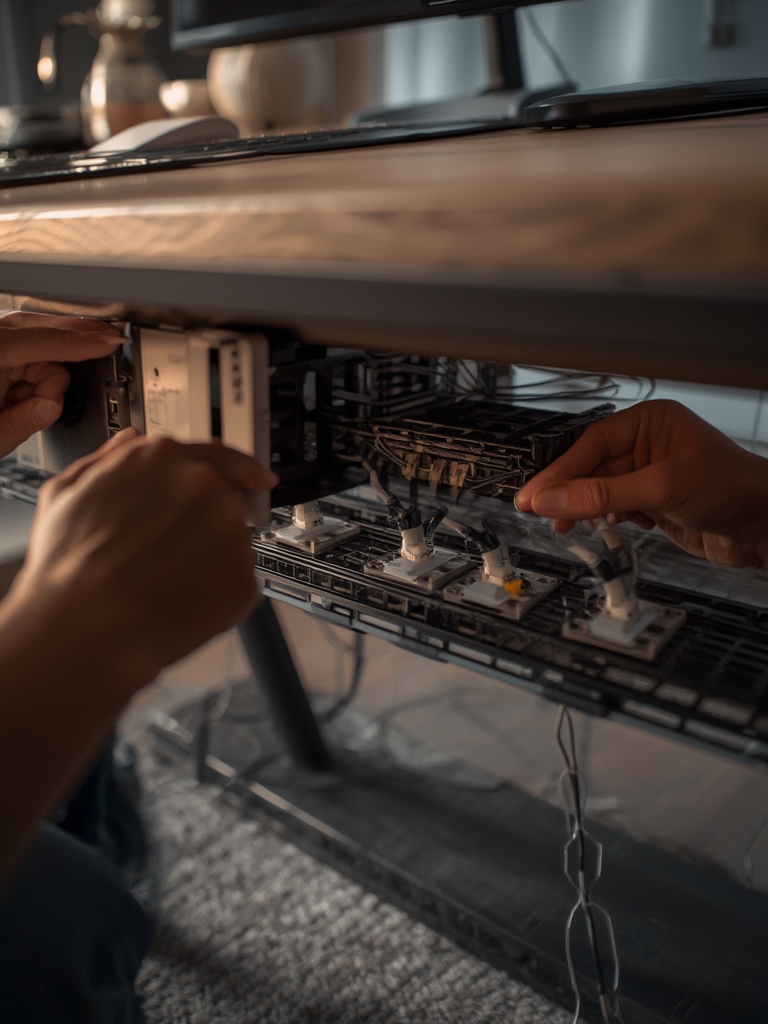
If you’re upgrading your tech, now is a good time to look at smart LED strip lighting for mood or background lighting that blends with your tidy workspace. And if air quality matters, consider a smart indoor air quality monitor for improved wellness.
For those who want their floor as clean as their cables, check out our robot vacuum mop combo buying guide for hands-off, smart cleaning beneath your clutter-free desk.
Advanced Analysis & Common Pitfalls
Even the best cable management kit home office setup can run into problems. Here’s what the data and real-world feedback reveal about common hurdles:
- Adhesive fatigue: Cheap or mismatched clips may lose grip, especially on textured, dusty, or curved surfaces.
- Overfilling trays or boxes: Too many thick cords stuffed into organizers can squeeze power supplies, cause overheating, and make airflow worse for routers or power strips.
- Incorrect labeling: Skipping cable labels leads to confusion later. Future upgrades or troubleshooting will require re-tracing every cable again.
- Kit mismatch: Some kits may not include parts for thicker cables, power bricks, or international plugs, forcing workarounds or returns.
- Missed safety checks: Blocked power ventilation or overloaded power strips increase fire or electrical risk. Always check electrical safety and avoid daisy-chaining strips.
- Lack of maintenance: Organization systems need regular review. Adding one new device without resetting cable order leads back to chaos in weeks.
| Issue | What Can Go Wrong | Simple Fix |
|---|---|---|
| Tray or Box Not Fitting Desk | Kits may not work on thick or glass tabletops. | Use adhesive alternatives or select a screw-mount model. |
| Not Enough Clips/Sleeves | Long cable runs or multi-monitor setups run out of parts. | Buy an extra set of reusable ties or modular sleeve packs. |
| Device Moves Often | Laptops, USB hubs, or chargers not anchored and cables shift around. | Secure mobile devices with Velcro or quick-release mounting strips. |
| Cable Type Not Included | Some kits lack HDMI, ethernet, or thick power cord solutions. | Add wider clips or flexible sleeves as needed. |
Lack of independent reviews makes it tough to compare trays, boxes, and sleeves by brand or price. To avoid disappointment, research kit contents and measure your desk before buying. As workspace tech evolves, so do cable types — always adjust your system for new gear like battery backup (portable power stations) or IoT devices.

Conclusion
An organized workspace isn’t about perfection — it’s about reducing cable chaos to make room for focus and productivity. The right cable management kit home office setup lets you customize your organization strategy, solve safety and workflow bottlenecks, and reclaim your desk space.
Ready to take the first step? Compare your workspace needs and pick a kit with versatile clips, trays, and labels. Check out other smart upgrades for your home setup, and don’t overlook weekly maintenance: it’s the key to lasting results.
Declutter your tech life — and supercharge your working hours — with a cable management kit home office solution today.
FAQ
What comes in a typical cable management kit for a home office?
Most kits include adhesive cable clips, wire sleeves, under-desk trays or baskets, zip ties, labels, and sometimes cable boxes for power strips.
Are these kits easy to install without tools?
The majority of home office cable management kits use peel-and-stick adhesives and Velcro ties, so you don’t need power tools. However, screwing trays to wood desks is sometimes required for extra stability.
Can cable management kits improve my productivity?
Absolutely. Research shows cable chaos increases stress and can lead to wasted time. Organized cables reduce distractions and make it easier to add or replace devices without frustration.
Are there safety concerns if I hide all my power strips in a box?
Yes. Never overload power strips or block air flow. Choose cable boxes with ventilation slots and place them where they won’t overheat.
What if my desk is glass or has an unusual shape?
Look for kits that include strong adhesives or universal straps. For glass desks, suction-based holders or desktop trays may work best.
—